
Google Flights (https://www.google.com/travel/flights) is our favorite tool for searching for a flight. It is a simple and powerful tool.

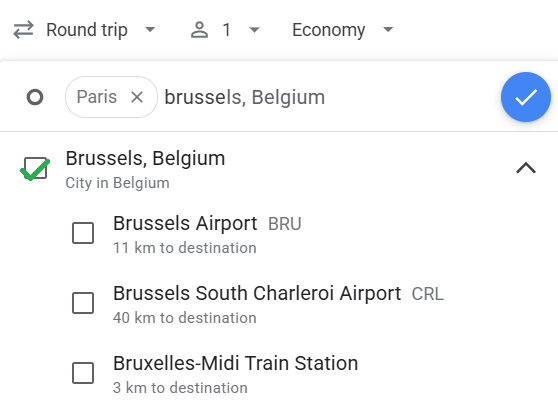
If you are looking for an idea for a destination, you can start by entering the list of departure cities or airports. You can enter several.
As here for example, you can choose all the airports in Paris (Charles-de-Gaulle, Orly and Beauvais) and those in Brussels (Zaventem and Charleroi):
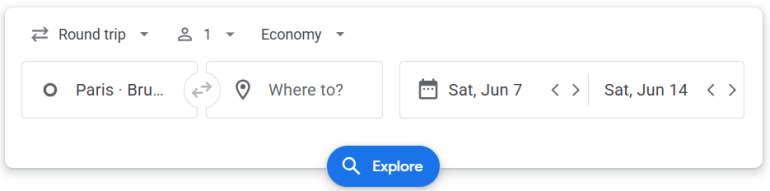
Continue with your Round Trip dates (or just the outward journey depending on your needs). Then click on « Explore »
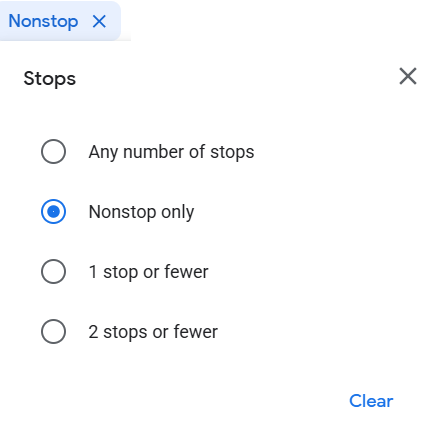
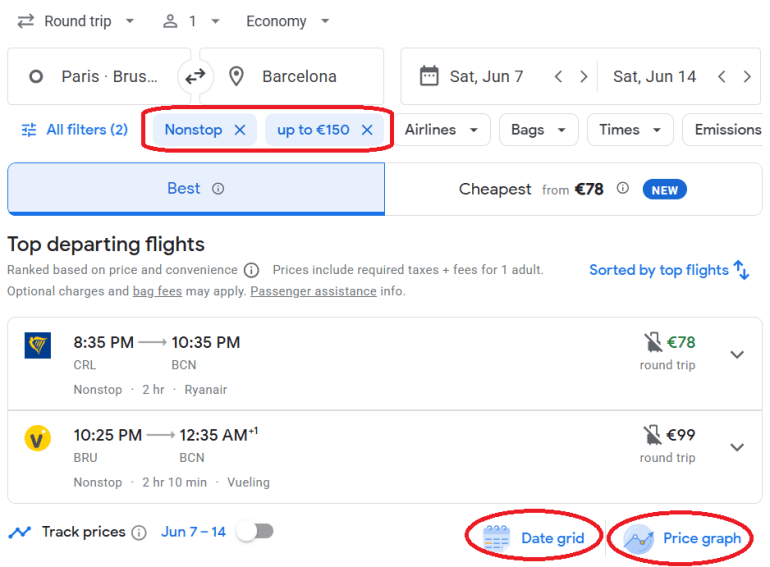
You can then apply several filters. For example, you can choose to search only for non-stop flights:
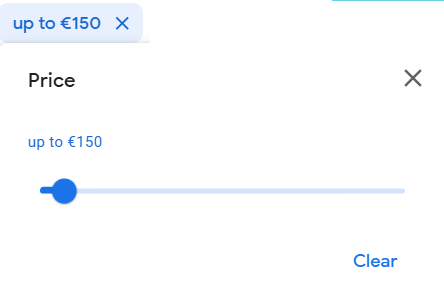
You can also set a maximum price to pay:
Then, you can view the results on the world map with the destinations that match your search:
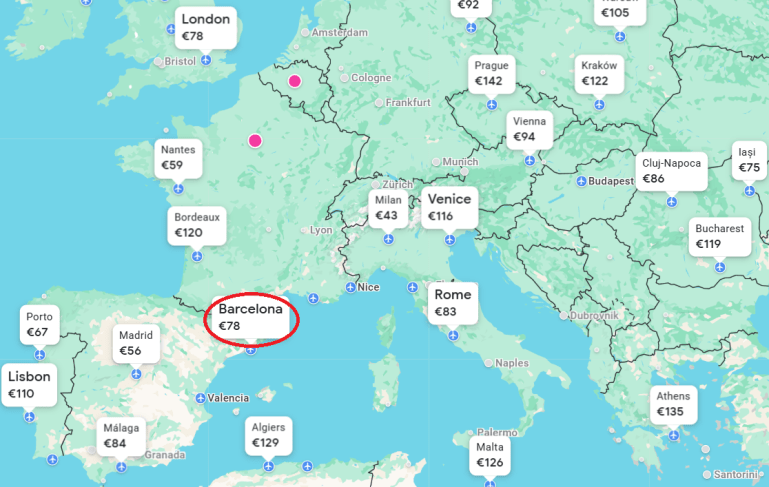
Let’s choose « Barcelona » for a price of €78. Click on « View flights »
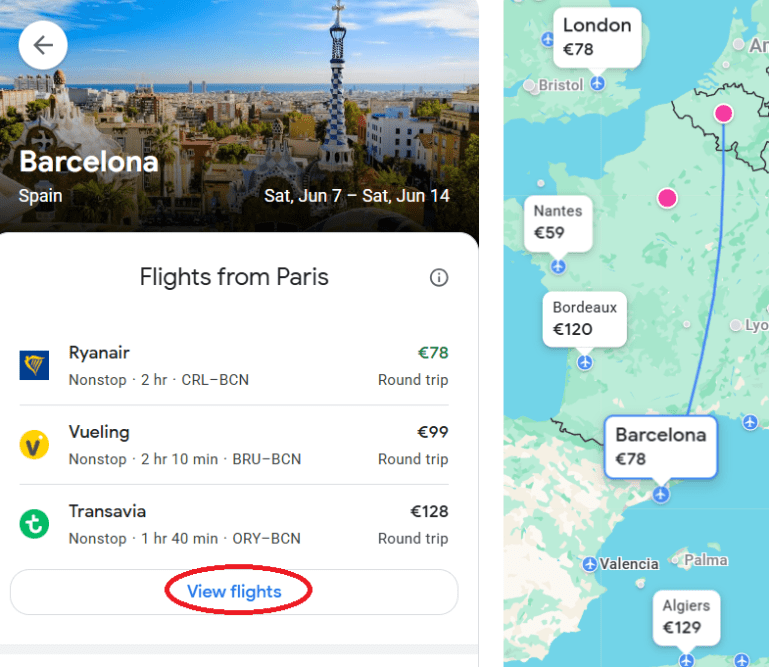
Here you can see the flights and adjust your filters.
If you have flexible dates, you can also use the « Price graph » and « Date grid » features
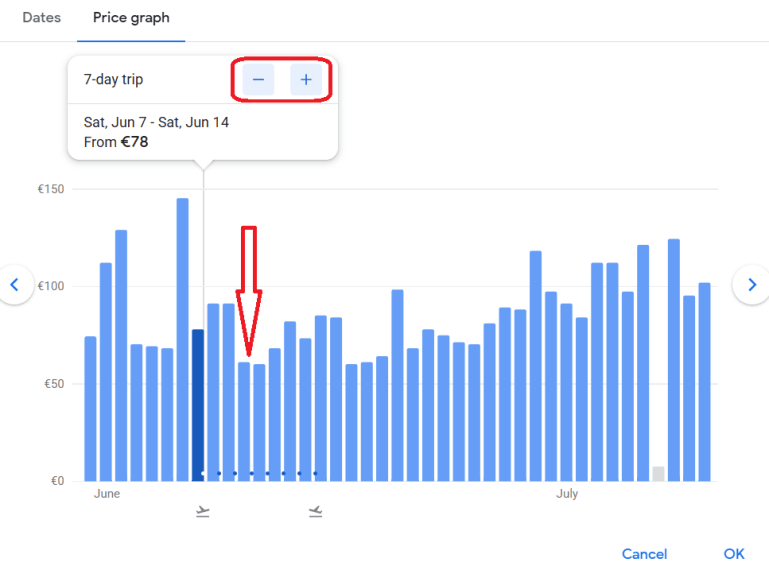
In the « Price graph » tool, you can reduce or increase the duration of your trip in order to have more attractive prices. Or choose other dates with the same duration using the graph:
In the « Date grid » tool, you will see the prices in a grid with a variation of your departure and return dates. This can be interesting if your dates are flexible.
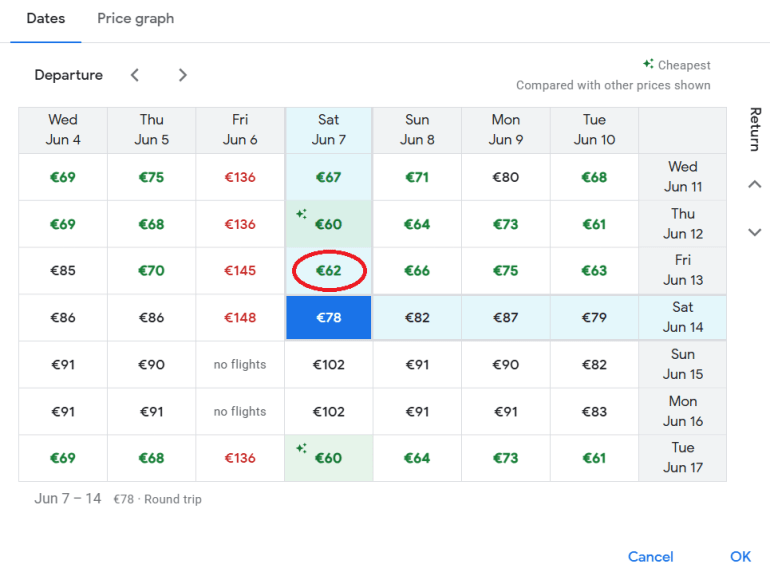
For example here, by choosing a different return date, the price of the round trip flight goes from €78 to €62. You can get good deals with these tools

Once you have made your choice, you will find a summary of your flights:
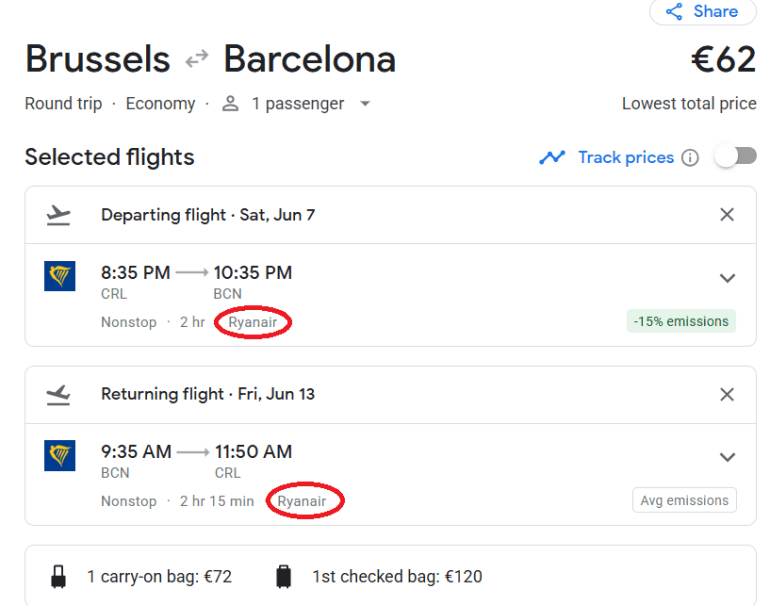
For booking, you can continue on the same tool or go directly to the airline’s website. We always prefer to book on the airline’s website to avoid intermediaries. Here for example, the flights chosen are operated by Ryanair: https://www.ryanair.com
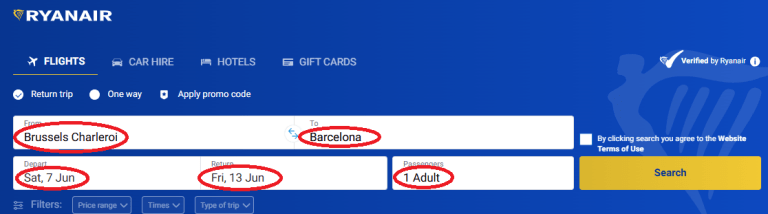
Now that you have found the flights that suit you, you can enter these values on the Ryanair website:
Normally, you will find the same prices on the company’s website, as well as the prices by changing the dates:
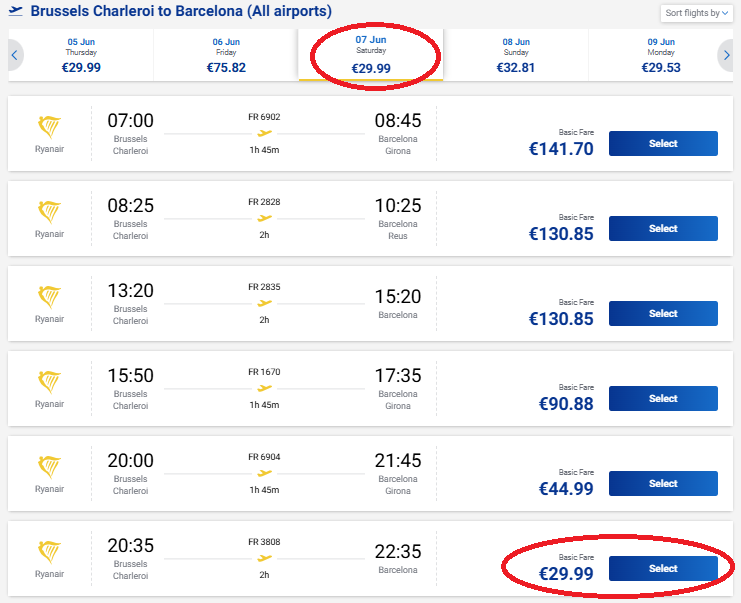
Choose your outward and return journeys:
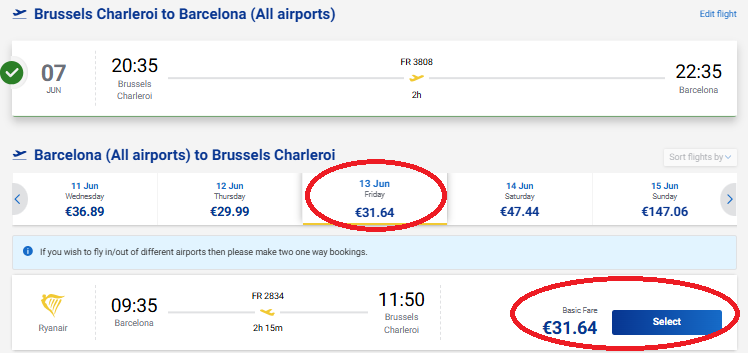
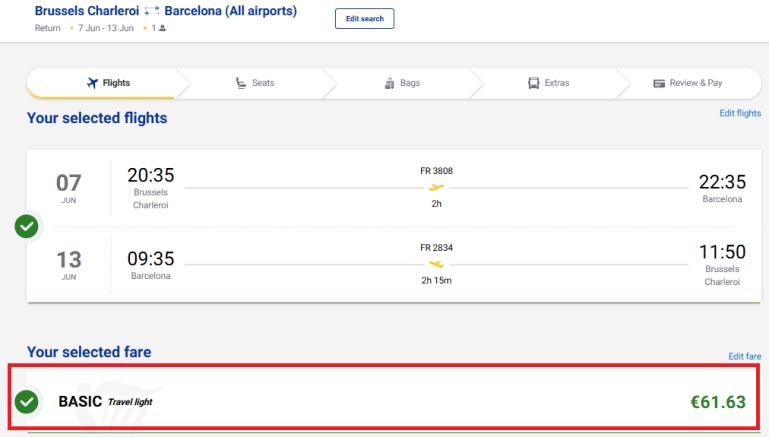
Still taking Ryanair as an example, you can choose the fare. Often the price displayed first and found by Google Flight is the Basic fare (Without baggage, without choice of seat, etc.). You can adapt the fare according to your needs:
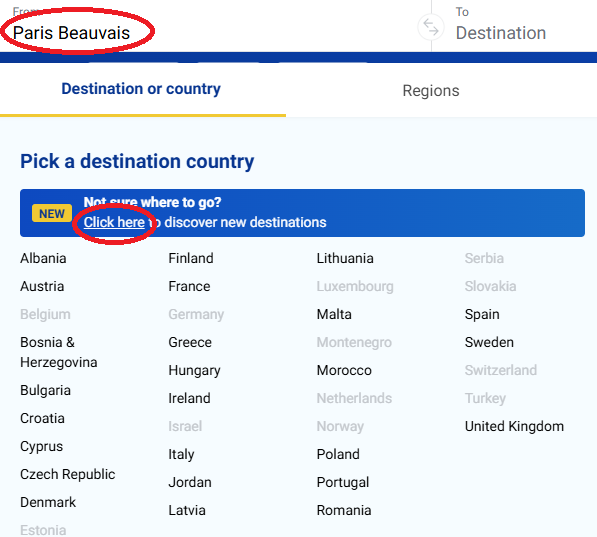
Ryanair offers a flight search solution if you do not have a fixed idea regarding your destination and dates. Of course, the search is limited to flights operated by Ryanair.
To access it, in the search menu, choose your departure airport (Example: Paris Beauvais) and click on the feature:
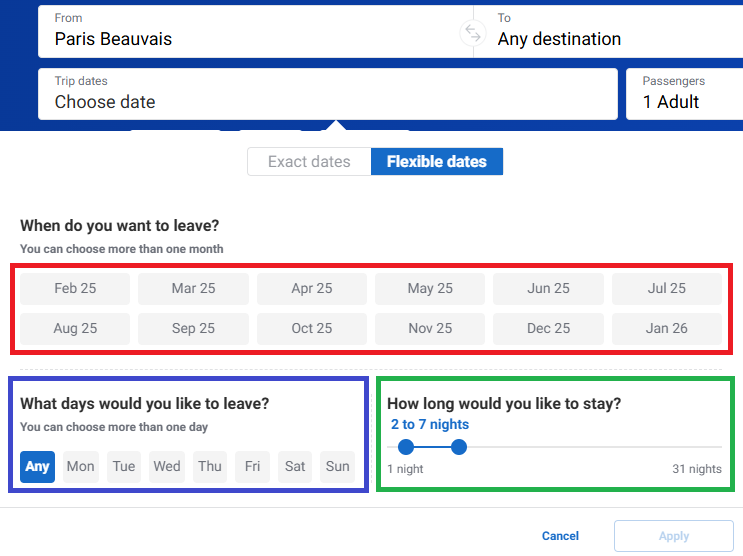
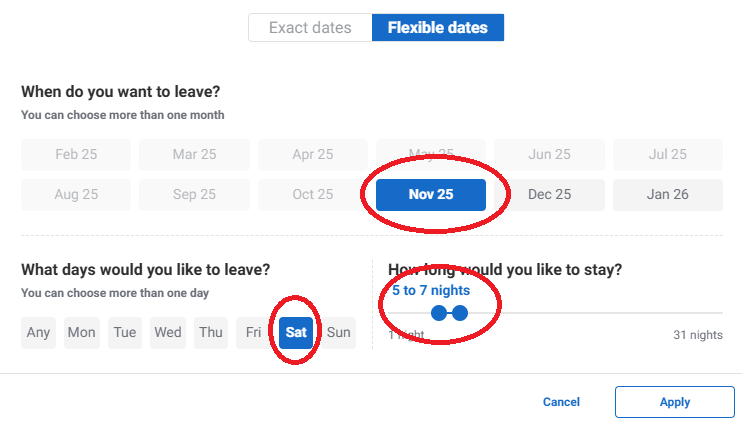
You can adapt your search according to your travel dates. You can choose:
The month of your trip (in red)
The day of the week of your departure (in blue)
The number of days of your trip (in green)
Or simply Go to the « Exact Dates » tab and choose specific dates
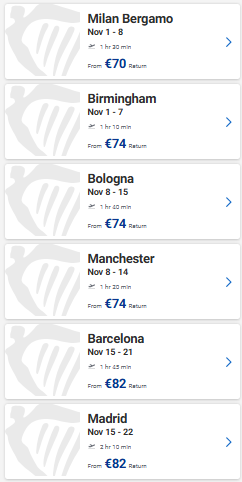
For example, you can choose to search for a stay in November that starts on a Saturday and lasts between 5 and 7 days
Then, you have the list of destinations corresponding to your search:
Even if we have a preference for Google Flights for searching for flights, there are other tools that can be good such as:
- Skyscanner: https://www.skyscanner.fr
- Momondo: https://www.momondo.fr/flights
 my-trip-memories.com